
1. Log in to your cPanel account.
2. In the Email section, click on Email Filters.
3. Under Filters by Users, you can see all your existing email accounts. Click on Manage Filters next to the appropriate one.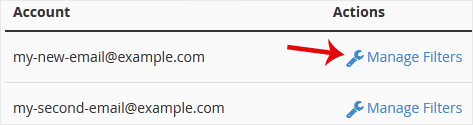
4. Under Current Filters, click on Edit next to the appropriate filter.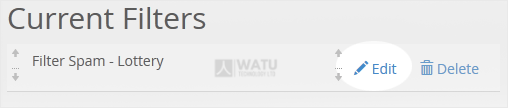
5. Make the desired changes to the filter.
6. Click on Save.
- Home
-
Store
- Browse All
- Web Hosting
- Website Packages
- eCommerce Packages
- Google Workplace
- VPS Hosting
- WordPress Hosting
- Payment Integration
- Business Launchpad
- Website Backup
- Website Security
- Website Builder
- E-mail Services
- SEO Tools
- SSL Certificates
- VPN
- Professional Email
- Site Builder
- Register a New Domain
- Transfer Domains to Us
- Affiliates
- Contact Us
- Watu SMS Notifications
-
More
